Spring Boot 通过SMTP发送电子邮件(ssl/tls)
目录
使用的技术:
- Spring Boot 2.3.2
- Java Mail 1.6.2
- Maven 3
- Java 8
1、添加依赖
spring-boot-starter-mail<!-- send email -->
<dependency>
<groupId>org.springframework.boot</groupId>
<artifactId>spring-boot-starter-mail</artifactId>
</dependency>2、配置 application.properties
这里得注意下了,除了邮件服务商说明同时支持tls或者ssl,否则需要将tls/ssl分开配置
,这里我使用得是outlook,所以只支持 tls 587端口,一开始我配置成ssl,走了一个坑。
spring.mail.host=smtp.gmail.com
spring.mail.port=587
spring.mail.username=username
spring.mail.password=password
# Other properties
spring.mail.properties.mail.smtp.auth=true
spring.mail.properties.mail.smtp.connectiontimeout=5000
spring.mail.properties.mail.smtp.timeout=5000
spring.mail.properties.mail.smtp.writetimeout=5000
# 这里是tls的配置项,如果没有使用587,则要注释掉
# TLS , port 587
spring.mail.properties.mail.smtp.starttls.enable=true
# 这里是ssl的配置项,如果没有使用465,则要注释掉
# SSL, post 465
#spring.mail.properties.mail.smtp.socketFactory.port = 465
#spring.mail.properties.mail.smtp.socketFactory.class = javax.net.ssl.SSLSocketFactory
如果是这个错误,那么就是你把tls/ssl的配置弄反了。
nested exception is:
javax.net.ssl.SSLException: Unrecognized SSL message, plaintext connection?. Failed messages: javax.mail.MessagingException: Could not connect to SMTP host: smtp.office365.com, port: 587;
nested exception is:
javax.net.ssl.SSLException: Unrecognized SSL message, plaintext connection?; message exceptions (1) are:
Failed message 1: javax.mail.MessagingException: Could not connect to SMTP host: smtp.office365.com, port: 587;
nested exception is:
javax.net.ssl.SSLException: Unrecognized SSL message, plaintext connection?] with root cause3、发送文本邮件
import org.springframework.mail.SimpleMailMessage;
import org.springframework.mail.javamail.JavaMailSender;
    @Autowired
    private JavaMailSender javaMailSender;
    void sendEmail() {
        SimpleMailMessage msg = new SimpleMailMessage();
        msg.setTo("to_1@gmail.com", "to_2@gmail.com", "to_3@yahoo.com");
        msg.setSubject("Testing from Spring Boot");
        msg.setText("Hello World \n Spring Boot Email");
        javaMailSender.send(msg);
    }
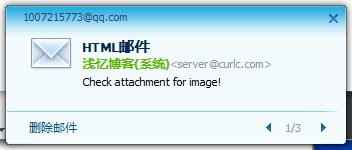
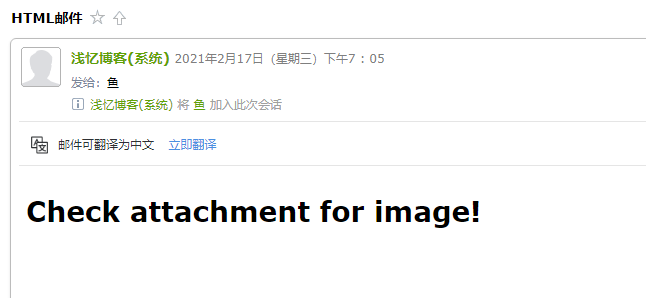
4、发送html格式的邮件
@GetMapping("sendMail")
void sendMain() throws MessagingException {
    MimeMessage mimeMessage = mailSender.createMimeMessage();
    MimeMessageHelper message = new MimeMessageHelper(mimeMessage, true);
    message.setFrom("浅忆博客(系统)<server@curlc.com>");
    message.setTo("xxxxx@qq.com");
    message.setSubject("HTML邮件");
    message.setText("<h1>Check attachment for image!</h1>", true);
    mailSender.send(mimeMessage);
}
5、发送HTML电子邮件和文件附件
import org.springframework.core.io.ClassPathResource;
import org.springframework.mail.javamail.JavaMailSender;
import org.springframework.mail.javamail.MimeMessageHelper;
import javax.mail.MessagingException;
import javax.mail.internet.MimeMessage;
    void sendEmailWithAttachment() throws MessagingException, IOException {
        MimeMessage msg = javaMailSender.createMimeMessage();
        // true = multipart message
        MimeMessageHelper helper = new MimeMessageHelper(msg, true);
        helper.setTo("to_@email");
        helper.setSubject("Testing from Spring Boot");
        // default = text/plain
        //helper.setText("Check attachment for image!");
        // true = text/html
        helper.setText("<h1>Check attachment for image!</h1>", true);
        // hard coded a file path
        //FileSystemResource file = new FileSystemResource(new File("path/android.png"));
        helper.addAttachment("my_photo.png", new ClassPathResource("android.png"));
        javaMailSender.send(msg);
    }
参考文章:
https://mkyong.com/spring-boot/spring-boot-how-to-send-email-via-smtp/